RedThread for iPad

See the whole story. Still hear the sentence. 

RedThread turns the iPad into a private story studio: a place to plan worlds, follow relationships, understand chronology, search what you half remember, and return to the manuscript with context intact.

Join the iPad betaRead this chapter

Wide enough for the world. Close enough for the work.

A large story needs more than a notes list. RedThread gives characters, places, events, lore, secrets, and manuscript structure room to sit beside one another—so the detail you need is nearby when a scene depends on it.

Give every part of the story a place—and a way back.

Shape characters, worlds, places, families, groups, cultures, events, items, lore, and secrets. Add the details that matter to your project, then connect them instead of copying the same fact into five different notes.
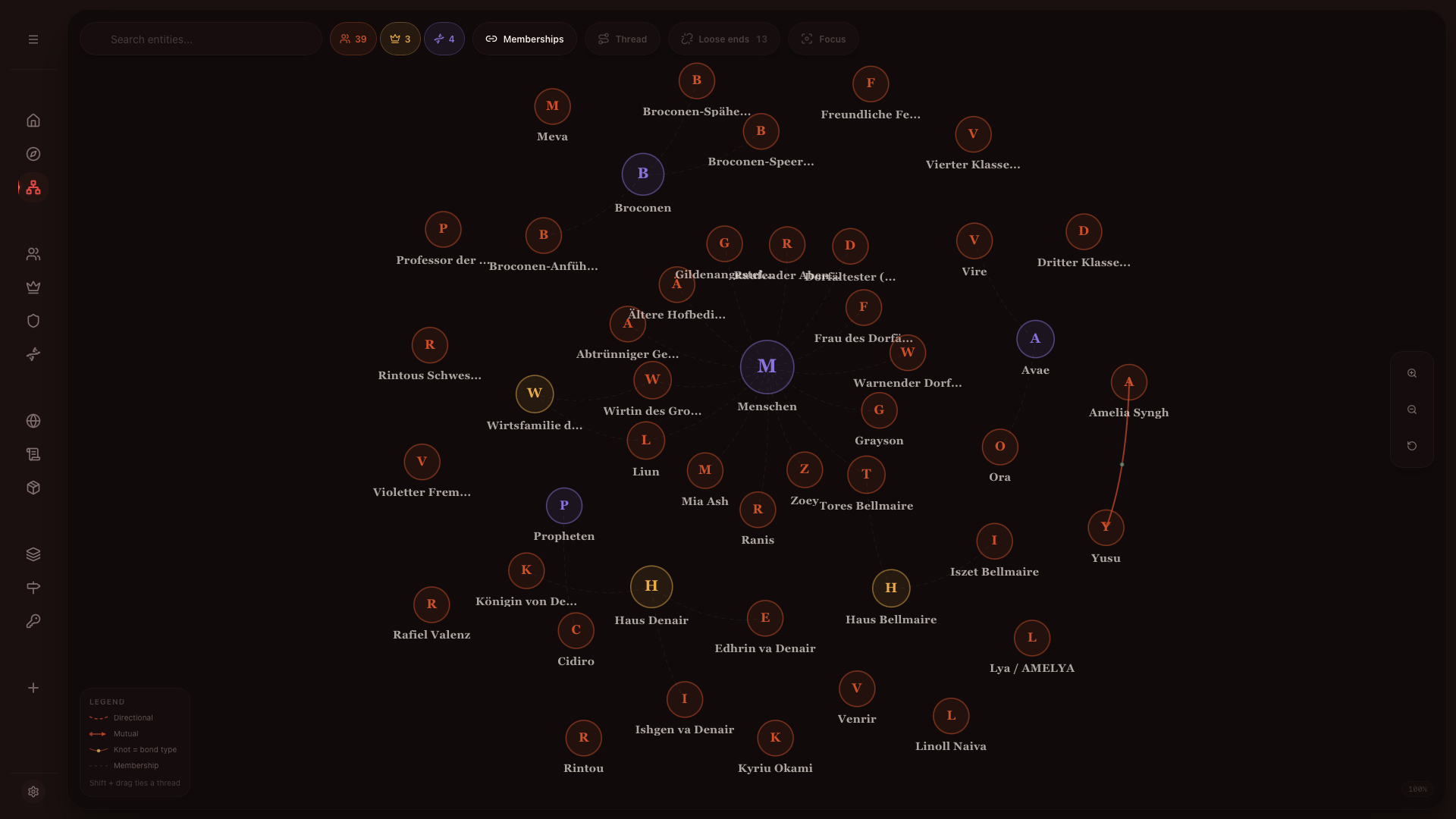
RedThread connection graph on iPad linking story elements
01Worldbuilding that stays connected

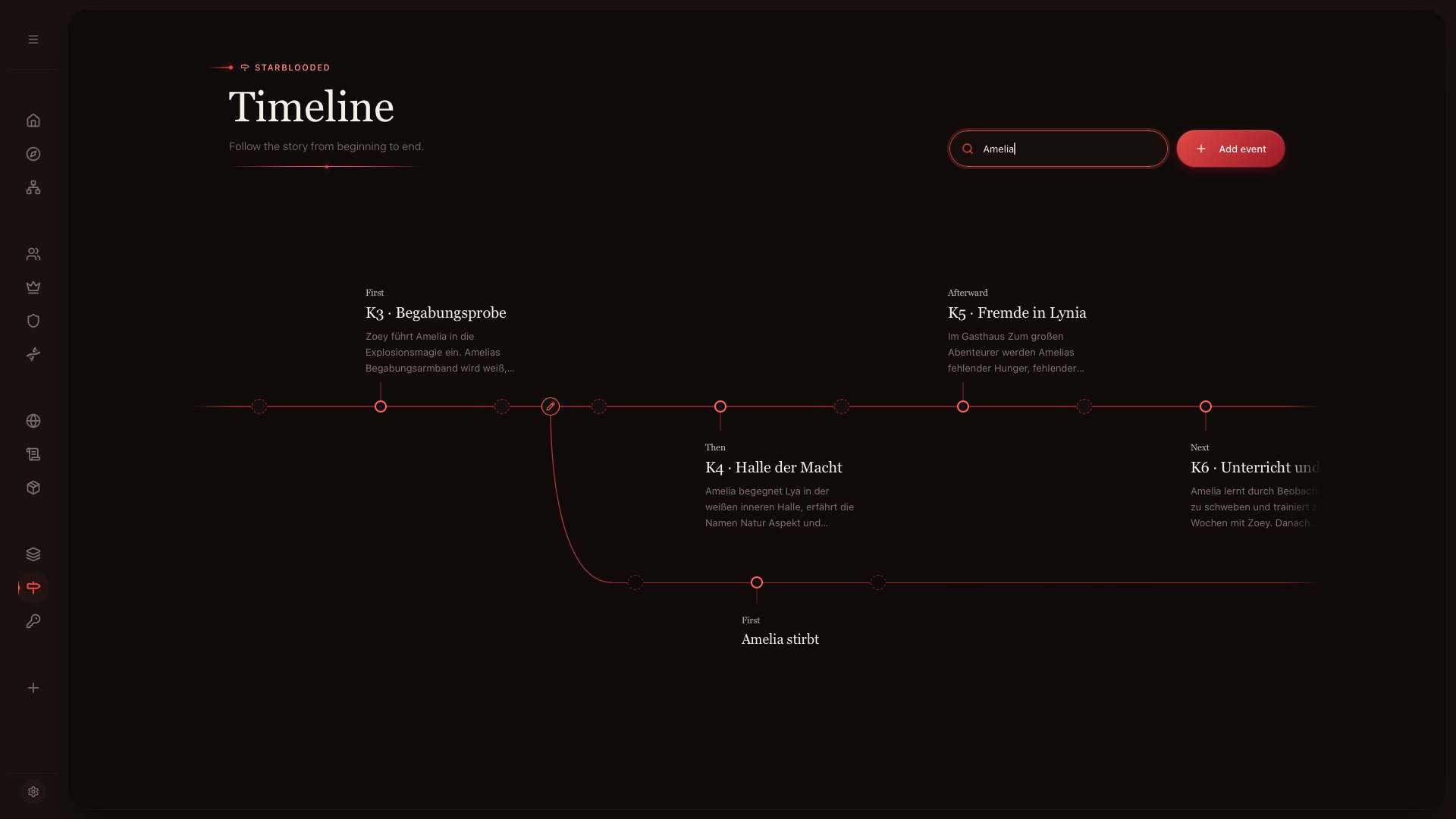
Read what happened, what the reader learns, and who was there.

Timeline follows the world’s chronology. Braid places that beside chapter order, revealing what the book tells out of sequence. Atlas follows character presence across events. Three views, one story.

RedThread timeline for planning a fictional chronology
02Timeline · Braid · Atlas

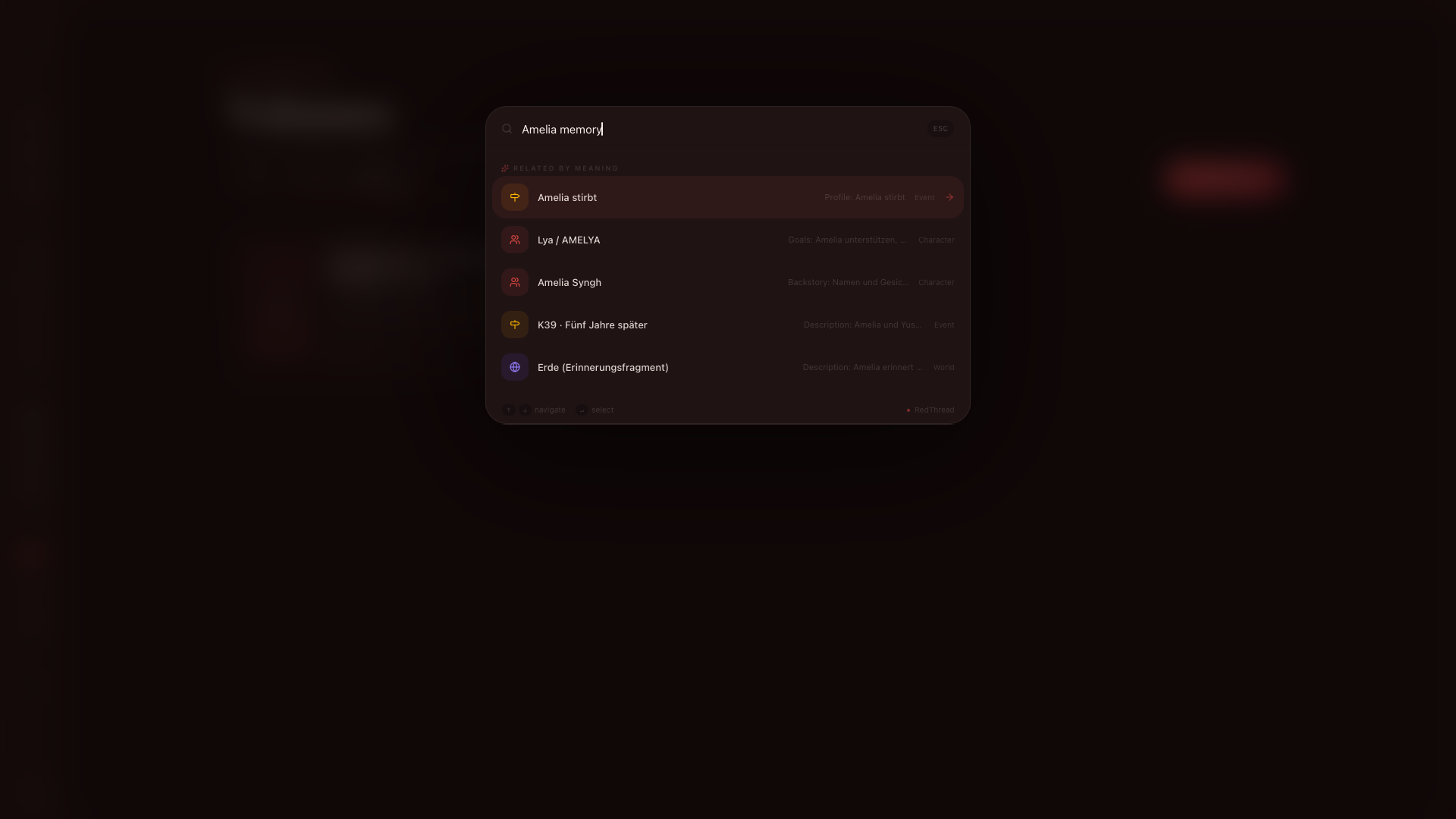
Search for the scene, even when you forgot the exact words.

Describe what you remember and RedThread looks for the meaning, not only a matching phrase. Search works inside the app, including when the internet does not.

RedThread search results finding related story material
03Private search · available offline

A planning room for complicated fiction—without turning the act of writing into project management.

A worldbuilding app that still feels like it belongs to a writer.

Choose a quiet theme, open the part of the story that matters today, and leave the rest connected for when you need it.

Join the TestFlight betaNext chapterTake the thread into Pocket